• Home
  • Gadget News
  • Laptop Reviews
  • Smartphone Reviews
  • Tablet Reviews
  • Gadget Reviews
  • Camera Reviews
  • Home
  • Gadget News
  • Laptop Reviews
  • Smartphone Reviews
  • Tablet Reviews
  • Gadget Reviews
  • Camera Reviews
Previous Next

Top 5 iPad apps for your business

Posted by: Digital Editor , January 17, 2011

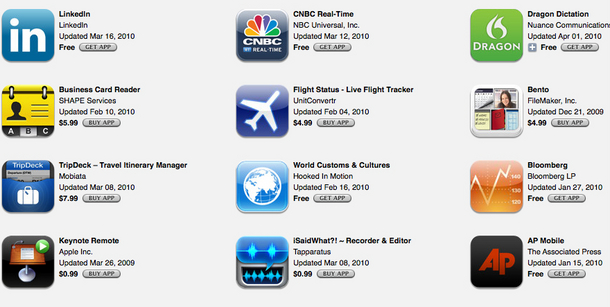
iPad Business apps

The iPad is the best choice when it comes to entertainment like watching movies, listening to music, surfing the Web and doing other things from the comfort of your couch or from anywhere in the world. But that’s not by far the limit of its capabilities – the iPad can do so much more!

You can use it to manage your daily life, create tasks and To Do lists, edit documents on the go, connect to remote servers – all of this is extremely useful if you have a business that needs attention 24/7 (most startups and small businesses do). With that in mind, here are just 5 of the best iPad apps that can help you in your business.

Pages. Pages is part of Apple’s iWork Suite, and it’s practically the best document editor for iOS. Coming from Apple, it can open any document format, including DOCX, XLS, PDF, and it can also save the files as PDFs, which is pretty impressive. It has all the tools and features you need to create professional looking documents that you won’t be ashamed of showing at a meeting. Through iTunes, you can easily share your files with other computers, including Mac and Windows PCs.

Numbers. Numbers is the second app from the iWork Suite, and it’s a great replacement for Microsoft’s Excel for the iPad (MS doesn’t even have an office suite for iOS). You can create amazingly attractive spreadsheets, edit Excel files, export documents in various formats, including PDF, and share them with other users through iTunes.

Dropbox. Dropbox can be a life saver and a must have for those who need to have a centralized file management and backup system. By installing their app on the iPad, iPhone, Mac and Windows PCs, you can sync and share all your files using the online account, wherever you are. For example, you can start editing a document on your way from another city on the airplane, sync it with the Dropbox account and finish editing it on the big screen at your office or in the comfort of your home.

Kayak Flights. As its name suggests, Kayak Flights lets you plan and manage flights, on any route, at any time. If you fly a lot as part of your job, you’ll definitely love this app. You can save yourself a lot of money and headaches by planning everything in advance, and having the schedule of flights you need updated and always at hand. You can find the best prices, best times and even reserve a ticket using only this app.

LogMeIn Ignition. If your business depends on a remote server that you need to log in to daily to perform your work, then a remote connection app is a must for you. LogMeIn has always provided support for most remote login systems out there, including their own app, and having it on your iPad is an immense plus.

If you need good apps that would aid you in your day to day life and your work, you should definitely try at least some of the ones listed above. There are also thousands of other apps on the marketplace, if you’re interested, which can do exactly what you need them to, and a lot of them are also free or cost no more than $5 – a bargain for the time you save!

Related posts:

  1. 5 great task and time management apps for the iPhone and iPad
  2. iPad Makes its Market Share Mark: Report
  3. Top 5 Windows Phone 7 apps
  4. 6 great apps that will work only work on jaibroken iPads and iPhones
  5. Quick Tips: 3 Uses for Hazel

Tags: business apps, iPad business apps

Share!
Tweet
Advertise here

Social

994
followers
Popular
Recent
Comments
Tags
  • Panasonic FZ100 review

    Panasonic FZ100 – the perfect camera for the beginner and amateur photographers

    June 21, 2011
    iPhone 4S vs Samsung Galaxy S2

    iPhone 4S vs Samsung Galaxy S2 – I think Apple needs an iPhone 5 ASAP

    October 15, 2011
    Nokia Slide-Out QWERTY Windows Phone 7

    Nokia Could Release a Slide-Out QWERTY Windows Phone 7 Later this Year

    June 19, 2011
    Google lifts the curtain on the new Android Market on the Web

    Past week’s top news in the mobile industry

    February 14, 2011
    Samsung Galaxy S vs Galaxy S2 - is it worth upgrading

    Samsung Galaxy S vs Galaxy S2 – is it worth upgrading?

    June 21, 2011
  • Caterpillar-CAT-B15-rugged-smartphone-review

    Caterpillar CAT B15 – the rugged smartphone ...

    June 9, 2013
    Dell Latitude 10 review

    Dell Latitude 10 – a worthy Windows 8 compet ...

    June 2, 2013
    Feedly reader

    Google Reader is going away – what you can d ...

    May 26, 2013
    HP Envy X2

    HP Envy X2 – decent specs, great design and ...

    May 20, 2013
    HTC-One-vs-iPhone5-detailed-review

    HTC One vs Apple iPhone 5 – you must be real ...

    May 11, 2013
  • Awesome Blog. BB10 looks amazing from what I've se ...

    February 7, 2013

    The downloaded .zip file goes to the root of the S ...

    January 23, 2013

    its in the URL you morons. it says June 2011.

    December 1, 2012

    download aptoid from play store and download all a ...

    September 28, 2012

    if jailbreak is a plus for iPhone I know something ...

    September 28, 2012
  • #SmokedByWindowsPhone $10/mo $100 $149 $149.99

Most Viewed Posts of the week

  • Sony Ericsson Xperia Mini Pro – a small and attractive smartphone with a QWERTY keyboard7,493 views
  • Samsung Galaxy S vs Galaxy S2 – is it worth upgrading?7,252 views
  • Nokia Could Release a Slide-Out QWERTY Windows Phone 7 Later this Year3,849 views
  • Samsung Galaxy S2 Mini – an affordable, smaller version of the big screen, dual core monster3,810 views
  • Verizon Jetpack 890L quick review – why it is better than Jetpack 4620L3,156 views

Sites We like

  • Engadget Mobile
  • Gizmodo – The Gadget Guide
  • Phone Developers Jobs
  • Ubergizmo – The Gadget Blog
  • Wired News

Submit Your INQUIRY

  • About Us
  • Advertise with Us
  • Write for US

Latest Tweets

Copyright © 2013 GadgetMania.com
  • Home
  • Write for US